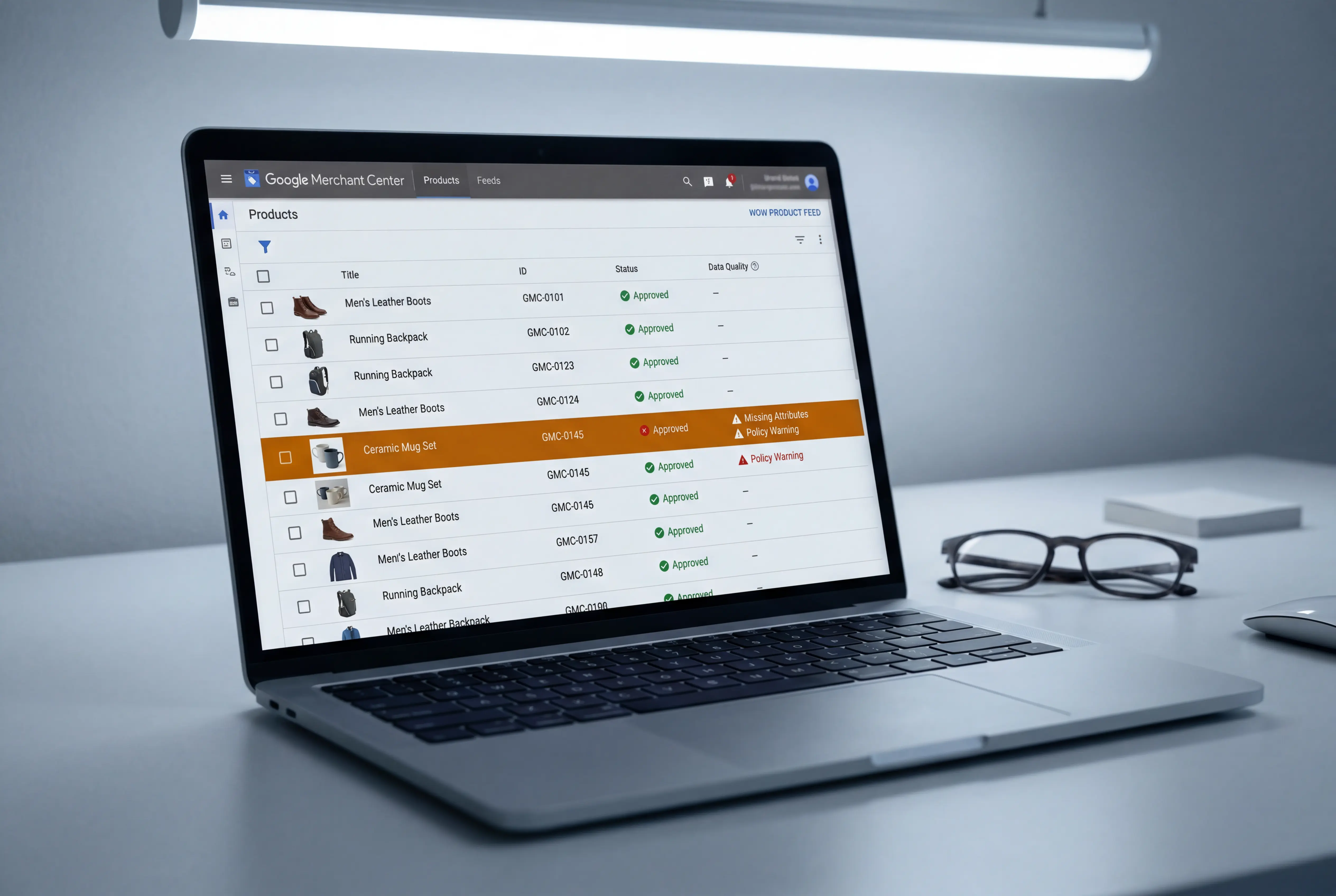
Performance Max — PMax — is Google's AI-driven campaign type that serves ads across every Google property: Search, Shopping, YouTube, Display, Gmail, Discover, and Maps. You give it your product feed, creative assets, and a budget. The system decides where, when, and to whom your ads appear.
PMax is the Google equivalent of Meta's Advantage+ Shopping Campaigns. It works. For Shopify merchants with a clean product feed, it consistently outperforms manually managed Google Shopping campaigns. But it has a critical vulnerability that most merchants and agencies miss — and it can quietly waste your budget if you don't set it up correctly.
How PMax works
Traditional Google Shopping campaigns required merchants to choose which products to advertise, set bids for each product group, and manage search queries. PMax automates all of this. The algorithm decides which products to show, which audiences to target, and how much to bid — across every Google surface simultaneously.
You provide two things: your Shopify product feed (synced through Google Merchant Center) and creative assets (headlines, descriptions, images, videos). The system combines these into ads tailored to each placement — Shopping ads on Search, video ads on YouTube, display ads on the Google Display Network, product listings on Google Maps.
PMax optimizes toward conversions using your full product catalog and whatever audience signals you provide. Google is explicit that audience signals are suggestions, not restrictions — the system may show ads to relevant audiences outside your signals. This is by design. The algorithm's reach is broader than what you specify, and constraining it usually hurts performance.
The product feed is everything
Here's the fundamental difference between Meta and Google advertising: on Meta, your creative drives performance. On Google, your product feed drives performance.
Your product feed is the data that Google Merchant Center uses to create Shopping ads. It includes your product titles, descriptions, images, prices, availability, GTINs, and categories. The quality of this data directly determines how often your products appear, for which searches, and at what cost.
Titles are the highest-leverage field. Google matches search queries to product titles. A title like "Blue Dress" will match far fewer searches than "Women's Maxi Summer Dress — Navy Blue, Cotton, Sizes S-XL." For Google Shopping, product titles should be search-intent focused: include the product type, key attributes (color, material, size range), and brand name. Front-load the most important terms because Google truncates long titles in search results.
GTINs unlock better placement. A GTIN — Global Trade Item Number — is the barcode number on your product. Google uses GTINs to match your products to its product knowledge graph, which includes user reviews, price comparisons, and product specifications from other sellers. Products without GTINs get significantly fewer impressions and are excluded from some Shopping placements entirely. If you sell branded products, adding GTINs is one of the highest-return things you can do for your Google ads.
Shopify's native feed management is limited. The Google & YouTube sales channel app syncs your products automatically, which is convenient. But it sends the same product data to Google that you have in Shopify — and Shopify's product data structure wasn't designed for advertising. You can't set custom labels, create performance-based product groups, or optimize titles differently for Google vs. your storefront. For stores with more than 50 products, a dedicated feed management tool is worth the investment.
The branded search problem
This is PMax's most expensive hidden failure, and most agencies either don't know about it or benefit from it.
PMax campaigns target branded search queries by default. "Branded search" means someone searching for your brand name — "Al Baraa Cosmetics" or "Desert Threads UAE" or whatever your store is called. These people already know you. Many of them would find your store and buy anyway, through organic search results or direct visits.
When PMax targets your branded searches, it will report excellent ROAS — because these are high-intent people who were already going to buy. The numbers look great in the report. But you're paying for traffic that was essentially free.
This is the most expensive error Shopify merchants make with PMax, and it masks the campaign's true performance on non-branded, incremental traffic — the sales you wouldn't have gotten without the ad.
How to fix it:
- Create a separate branded Search campaign (not PMax — a standard Search campaign) that targets your brand name and variations
- Add your brand name as a negative keyword in your PMax campaign (Google now allows up to 10,000 negative keywords at the campaign level)
- The branded Search campaign catches your brand traffic at low cost. PMax focuses on finding new customers
This single change can dramatically shift your PMax ROAS number — it will go down, because you've removed the easy branded conversions. But the remaining number is real. It represents actual new business that PMax is generating.
How to structure your PMax campaigns
The right structure depends on your monthly ad spend. Over-segmentation is as dangerous on Google as it is on Meta — the algorithm needs sufficient conversion data to optimize.
Under AED 4,000/month: One PMax campaign, one asset group, all products. Don't segment. The algorithm needs at least 30 conversions per month per campaign to function properly, and splitting a small budget across multiple campaigns starves each one.
AED 4,000 - 12,000/month: One PMax campaign, two to three asset groups segmented by product category or margin tier. Group your best sellers in one asset group and your broader catalog in another. This gives the algorithm enough data while allowing you to see which product categories perform.
AED 12,000 - 40,000/month: Consider splitting into two PMax campaigns — one for best sellers with a higher ROAS target, one for the full catalog with a lower target. Plus your branded Search campaign.
Above AED 40,000/month: Multiple PMax campaigns with distinct strategies become viable. Consider a separate standard Shopping campaign for your top 10-20 products to maintain direct control over your highest performers, alongside PMax for broader coverage.
In all cases, protect branded search with a separate campaign. No exceptions.
Audience signals: suggestions, not restrictions
PMax lets you add "audience signals" — customer lists, custom segments, in-market audiences, and search themes. These signals tell the algorithm where to start looking, but Google is explicit that the system will expand beyond your signals to find relevant audiences.
The recommended approach is layered:
First signal layer: Your best data. Upload your Shopify customer list (actual purchasers) as a customer match list. This gives the algorithm your highest-quality conversion signal — people who look and behave like your existing buyers.
Second signal layer: Competitive intelligence. Create custom segments based on competitor URLs and relevant search terms. If you sell running shoes, create a segment of people who've visited your competitors' sites or searched for related terms.
Third signal layer: Broad intent. Add in-market audiences relevant to your product category. These are people Google has identified as actively shopping for products like yours.
Google expanded search themes from 25 to 50 per asset group in 2026. Use them. For niche products, search themes help the algorithm understand what your product is and who searches for it, especially when your conversion volume is too low for the algorithm to figure this out on its own.
Creative assets: don't leave gaps
Unlike Meta where creative is the primary lever, PMax creative is more structured. Google asks for specific asset types:
Headlines: Up to 15, each 30 characters max. Include at least one under 15 characters (for small-format placements). Make them search-intent focused — think about what someone would search for, not what you'd say in a brand manifesto.
Descriptions: Up to 5, each 90 characters max. Focus on your value proposition and what makes you different.
Images: Up to 20, across three orientations — landscape (1.91:1), square (1:1), and portrait (4:5). Use actual product images, not lifestyle stock photos.
Videos: Up to 15, in horizontal, square, and vertical formats. At least one vertical video between 10-60 seconds qualifies you for YouTube Shorts — a placement with rapidly growing inventory.
Here's the critical point: if you don't upload videos, Google will auto-generate them from your other assets. These auto-generated videos are typically low quality and perform poorly. Either upload real video content or accept that Google is creating bad ads on your behalf across YouTube. There's no middle ground.
The setup checklist
Before you launch or evaluate a PMax campaign:
- Branded search is protected with a separate standard Search campaign
- Brand name is added as a negative keyword in PMax
- Google Merchant Center feed is synced and approved (no disapprovals or warnings)
- GTINs are added for all products that have them
- Product titles are search-optimized (not just your Shopify product names)
- At least one custom video is uploaded (don't rely on Google's auto-generated videos)
- Audience signals include your Shopify customer list
- You're running one PMax campaign (or at most two if budget supports it)
- The campaign has achieved at least 30 conversions in the last 30 days
- You haven't made major edits in the last 2 weeks (learning phase needs stability)
How PMax and ASC work together
Meta ASC creates demand — it shows your products to people who weren't searching for them. Google PMax captures demand — it intercepts people who are actively searching for products like yours, or who showed intent through browsing behavior.
These are complementary, not competing. Cutting Meta spend to give Google more budget may look efficient in the short term (Google's ROAS will be higher because it's capturing high-intent traffic), but it risks starving the top of the funnel. Over time, less Meta demand creation means less Google search volume for your products.
The practical framework: evaluate each platform on its marginal contribution to total revenue, not on its isolated ROAS. If you're spending AED 20,000 on Meta at 3x ROAS and AED 10,000 on Google at 4x ROAS, the answer isn't "shift everything to Google." The answer is: what happens to total revenue if you increase Google to AED 15,000? Does the ROAS hold, or does it drop as you move up the diminishing returns curve? Test in small increments — shift 10-20% of budget at a time and wait 2 weeks to measure the impact.